

Many people are curious about how to check the Binance Leaderboard. In this article, we will find out how to search the Binance Leaderboard using the example of the coin futures trading legend, Wonyott.
In the article below, we told you how to get free trading fees for limit orders and up to a $60\%$ discount for market orders on Binance.
💰 Binance Taker Fee Free, 60% Market Fee Discount MethodWhat is the Leaderboard?
Exchange sites like Binance have a Leaderboard system. The Leaderboard can be easily thought of as the Binance Futures Ranking.
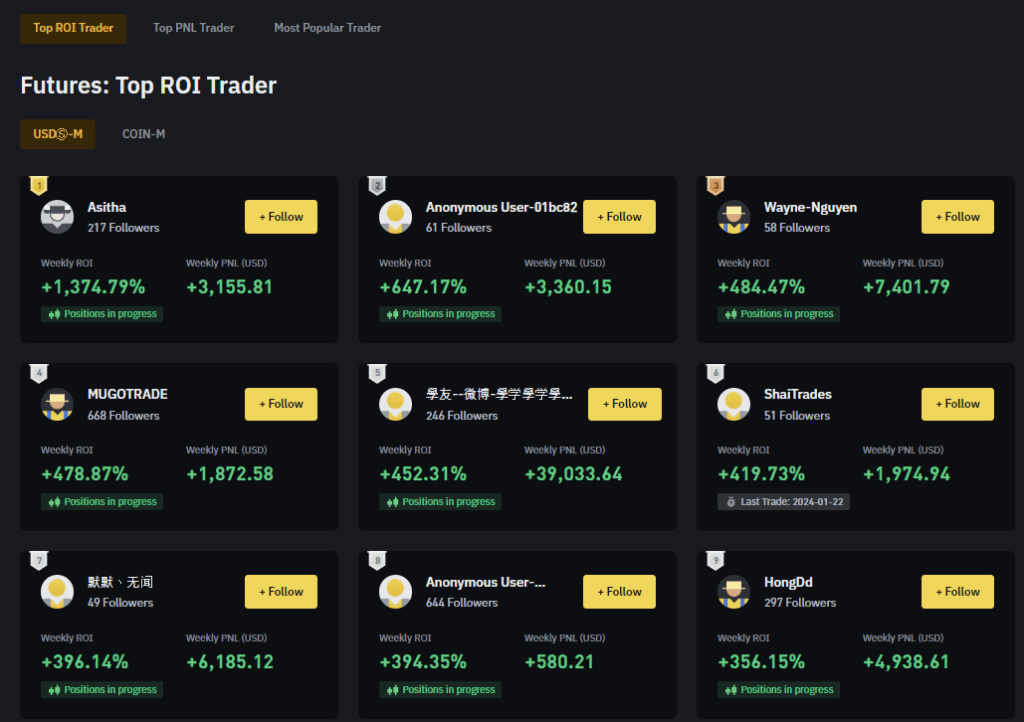
In other words, the Leaderboard is a page that records and ranks individual traders who have made high profits.
How to Search Binance Leaderboard (PC)
Now, let's find out how to search the Binance Leaderboard using Wonyotti as an example.
Wonyotti is known as a master of coin futures trading and is also known as "Binance NewJeans" due to the nickname he uses. If you are curious about Wonyott's profits and trading methods, who is famous in Korea, please refer to the article below.
1. Enter the Binance Leaderboard through the link below.
2. When the Binance Leaderboard window appears,
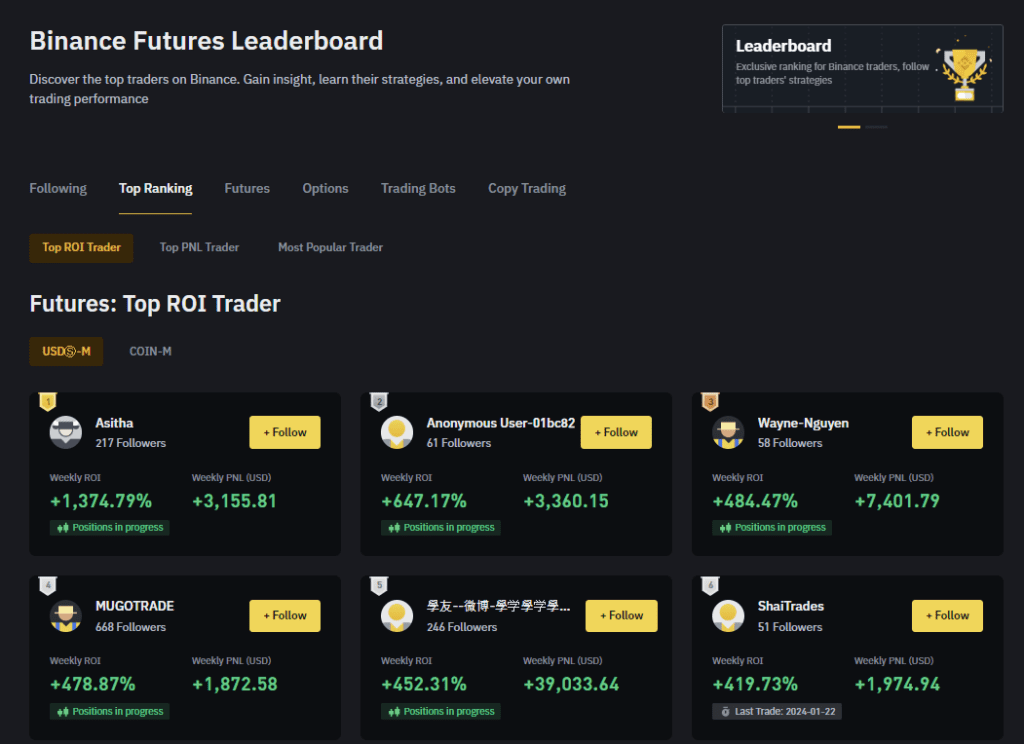
3. If you look at Wonyott's profit certification post, you can see that the nickname used is _NewJeans_. Enter _NewJeans_ (currently ILLIT) in the search box on the top right, paying close attention to the capitalization.
You can just check the Top PNL Trader section, and the user is almost always near the top.
How to Search Binance Leaderboard on Mobile
The method to access it is not available on the mobile app. You can check it by going to the link below.
Once you enter, the usage is the same as the PC screen.
You can enter the nickname of the person you want to search for in the search box on the top right.
Binance Usage Guide
We have gathered all the previously compiled exchange usage guides and Q&A into a roadmap for easy viewing. Please bookmark and use it.
[Check Crypto Exchange Usage Guide]