
Many people are curious about how to display Binance trading volume. In this article, we will find out how to deal with the phenomenon of Binance trading volume disappearing.
Please check the article below to find out how to get free Limit orders and 60% off Market orders on Binance even without VIP benefits.
💰 Binance Taker Fee Free, 60% Market Fee Discount MethodWhat is Binance Trading Volume?
Trading volume is also called volume, and it is a value that shows how much of a coin is traded over time. That is, it is a value that shows the change in ownership of the coin.
Trading volume is an indicator that helps determine whether the current situation is reliable when the price is fluctuating. You can consider the reliability to be higher when the trading volume is large compared to when it is small.
If you are a Binance beginner, you should also check [How to Read the Binance Chart].도 확인해보시길 바랍니다.
Binance Trading Volume Unit
The unit for Binance trading volume is the number of Bitcoins (or the base coin).
The coin trading volume is usually displayed with the unit 'k'. Here, k means 1000.
Let me give an example. Let's assume that 2k of a coin is being traded in one minute. If the current price is 50,000 USD, it means that 2,000 * 50,000 = 100,000,000 USD worth of the coin is being traded in one minute.
[How to Display Binance Trading Volume]
There are times when the Binance volume disappearance phenomenon occurs. This could be due to an error on the site itself, or it could be because the Binance volume settings were incorrectly changed.
When Binance Volume is displayed as 0 on the chart
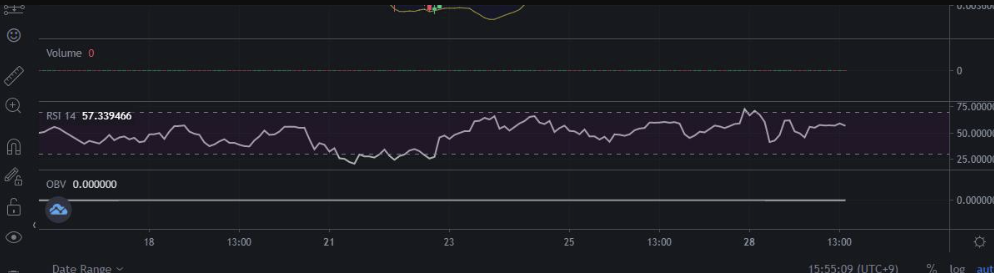
You can fix this by changing the Binance chart price display from Mark Price to Last Price.
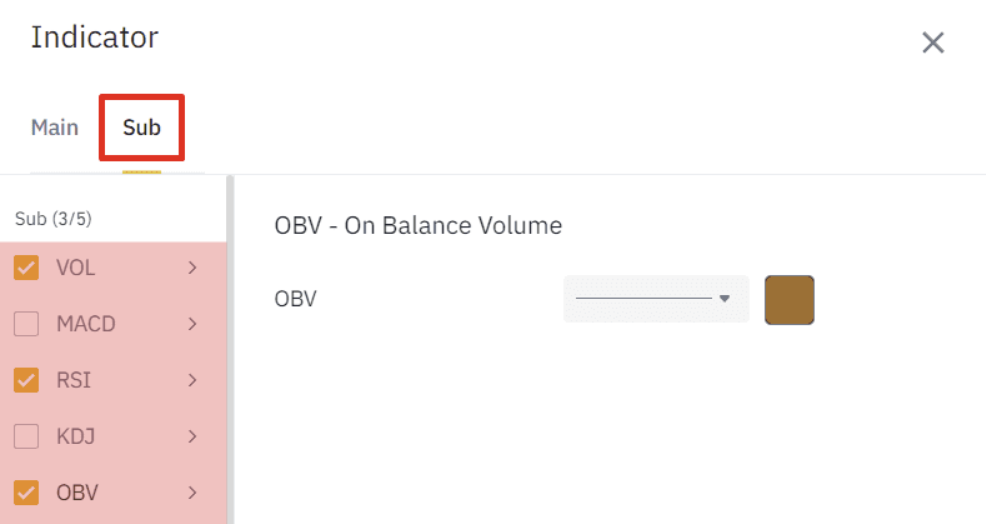
When you have never set the Binance trading volume before
Click [Indicator] > [Sub] in order from the top menu, and then check Vol to display the Binance trading volume.
When neither 1 nor 2 applies
If the Binance trading volume is still not displayed, it is likely a simple site error.
In this case, deleting the site's cache will initialize the settings, and the trading volume may be displayed again using method 2.
In the Chrome browser, pressing Ctrl + Shift + Del opens a window like the one below.
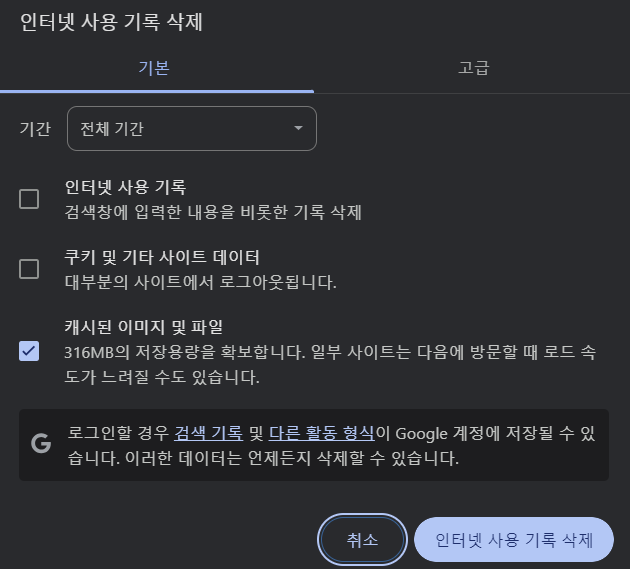
Check Cached images and files and then click the [Clear browsing data] button at the bottom to complete the cache deletion.
Binance Usage Guide
We have gathered all the previously compiled exchange usage guides and Q&A into a roadmap for easy viewing. Please bookmark and use it.
[Check Crypto Exchange Usage Guide]