Many users have questions about how to reach Binance support. While Binance primarily operates in English and Chinese, their 24/7 chat system is designed to support various languages.
In this guide, we will cover three ways to contact Binance and how to request assistance in your native language (such as Korean, Spanish, or Vietnamese).
💡 Pro Tip: You can slash your trading costs to the absolute floor—Zero Maker fees and 60% Taker fee discounts—without being a VIP. Check out our [Binance 60% Fee Discount Guide] before you trade.
💰 Binance Taker Fee Free, 60% Market Fee Discount Method24/7 Live Chat Support (Best for Custom Language Support)
This is the most effective way to get help. Even if the interface appears in English, you can request a specialized agent who speaks your language.
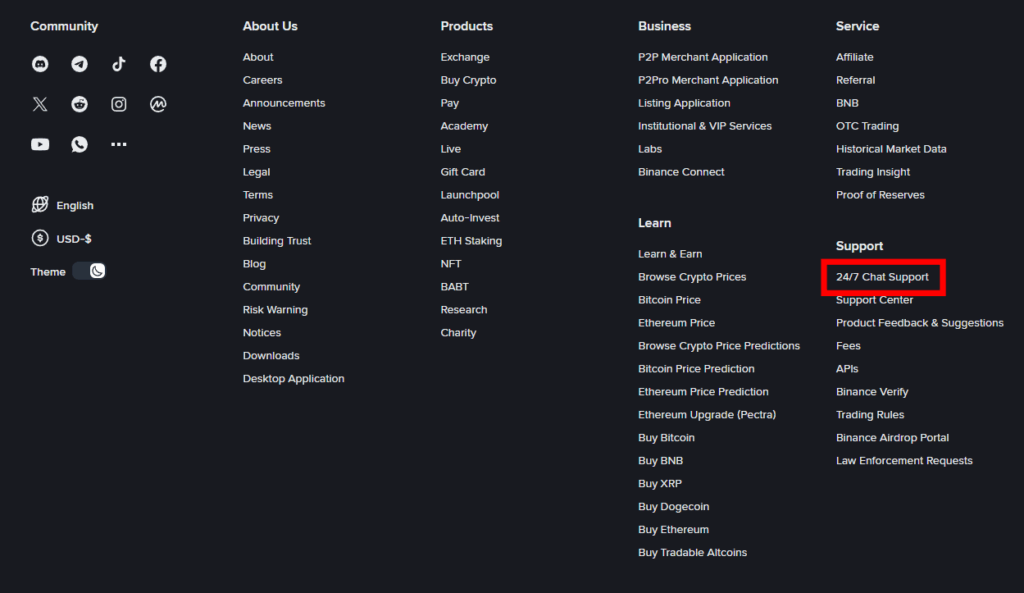
1. Log in to your Binance account.2. Scroll to the very bottom of the homepage and click on [24/7 Chat Support].
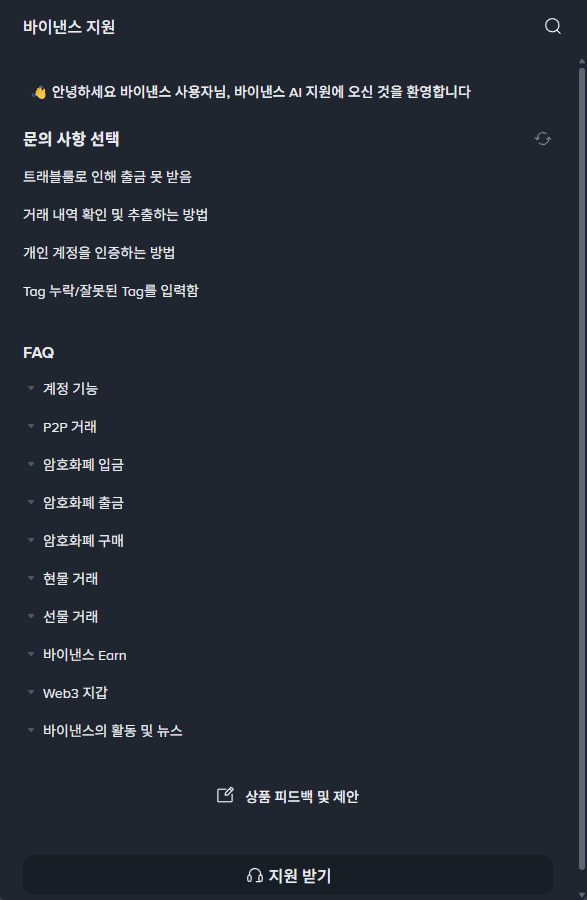
3. Click the Headset icon (Support) at the bottom of the chat window.
4. Type "Customer Service" or "Live Agent" in the chat box.
5. Request your language: If a support agent who speaks your language isn't automatically assigned, politely ask: "I would like to speak with a [Your Language, e.g., Korean/Spanish] support agent. Could you please transfer me?"
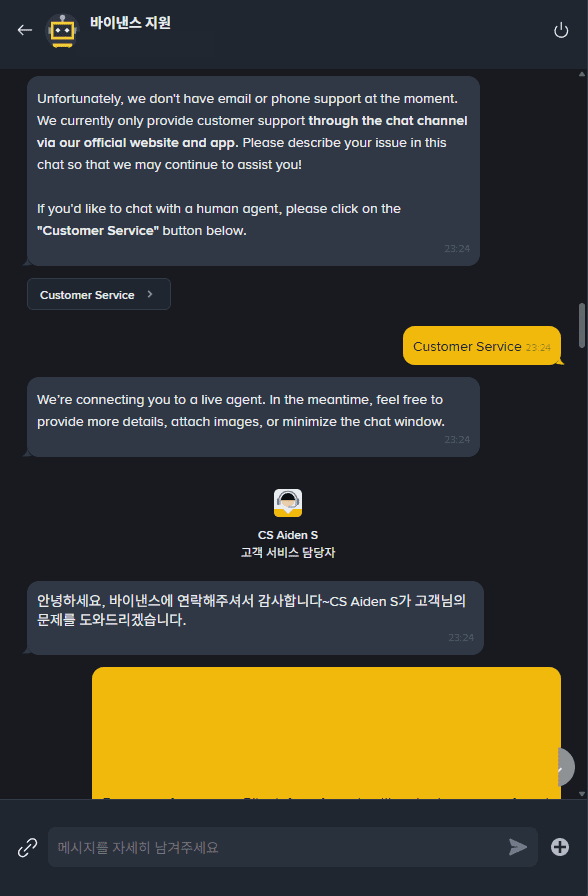
6. An agent specialized in that language usually connects within a few minutes.
Note on Response Times: Binance is a massive global platform.
Unlike local services, it may take some time. In my experience, it took about 30 minutes to get an initial response, and some complex issues required a 2-day wait for a final resolution.
As long as you don't close the chat window, the history is preserved, allowing different agents to follow up on your case seamlessly.
-
Contact Binance Support via X (Twitter)
If you prefer social media, you can reach out to the official Binance help desk on X. Please note that this service is primarily conducted in English.
Go to the official Binance Help Desk on X and send a Direct Message (DM).
Contact Binance Support via Telegram
Binance also maintains a support presence on Telegram. Like X, this is mostly handled in English. Be extremely cautious of scammers impersonating staff—Binance agents will never DM you first or ask for your password.
Connect to the official Telegram support channel and message the admin.
Binance Usage Guide
We have gathered all the previously compiled exchange usage guides and Q&A into a roadmap for easy viewing. Please bookmark and use it.
[Check Crypto Exchange Usage Guide]