
Recently, oil prices have been skyrocketing due to the conflict in Iran. In this post, I will provide a detailed guide on how to trade WTI Crude Oil. Specifically, while traditional futures trading requires a very high margin, I will show you how to trade without such a massive capital requirement.
What is WTI Crude Oil?
By dictionary definition, WTI (West Texas Intermediate) is a high-quality, low-sulfur light sweet crude oil produced in the Western Texas region of the United States. Along with Brent and Dubai crude, it is one of the three major global oil price benchmarks.
Risks of Oil Trading and How to Solve Them
Generally, oil is traded on the Chicago Mercantile Exchange (CME). Since one contract equals 1,000 barrels, the total value per contract is enormous, and the required margin is very expensive. This makes it a risky venture where a single trade could potentially lead to massive debt.
For this reason, there has long been a saying: "Don't touch oil." But what if we could trade with a very small amount, without a huge margin, and in a structure where you don't end up with debt?
The solution is CFD (Contract for Difference) trading. However, since the conditions for CFD trading at domestic brokerages are very strict—requiring a margin of over 100 million KRW and professional investor status—using an international exchange is the most effective method.
While there are several exchanges I recommend, the one I suggest most is Gate.io.
First, they offer a vast range of tradable products. When trading Crude Oil, you can use up to 500x leverage, allowing you to start trading with as little as $10. While most CFD platforms require about $200, the fact that you can start with just $10 on Gate.io is a huge advantage.
However, if your margin is too low, the position may be liquidated even with a tiny price movement. Therefore, it's better to use at least $50 per trade.
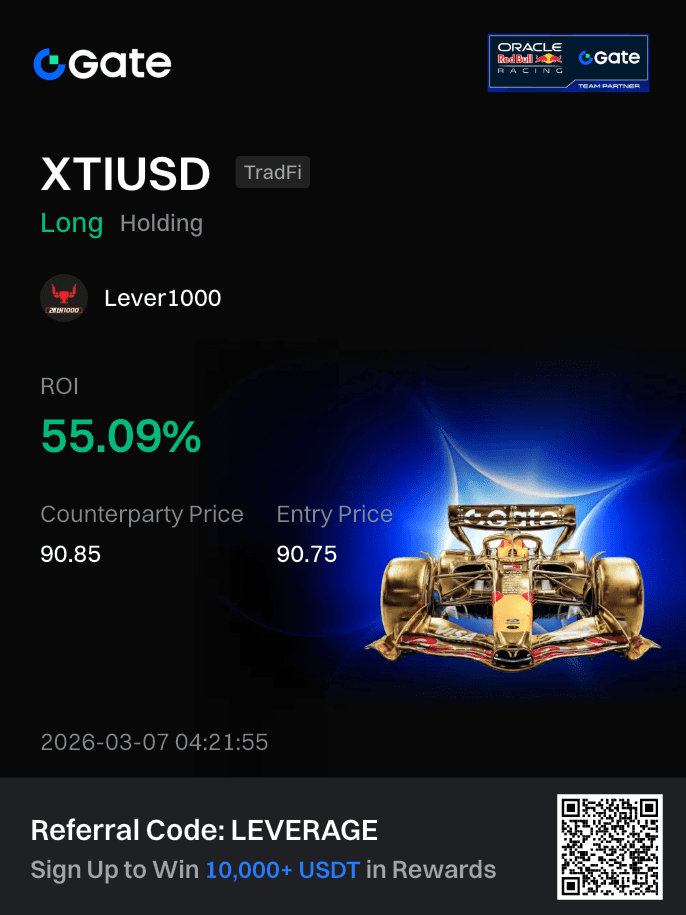
If you trade with a small amount, even a small tick movement can result in a high return rate, as shown below.
How to Register on Gate.io for Crude Oil Trading
First, you need to sign up for the Gate.io exchange. You can register by clicking the button below. If you sign up through the link below, you can receive a 50% trading fee payback, so make sure to use this link.
Sign up for Gate.io 50% CashbackFor detailed instructions on registration and deposits, please refer to the post below.
App Download Links
If you wish to download the Gate.io app, please refer to the links below.
Step-by-Step Guide to Trading WTI Crude Oil on Gate.io
If you have completed the registration and deposit using the methods described above, you are now ready to trade.
1. On the Gate.io main screen, click TradFi, then select XTIUSD.
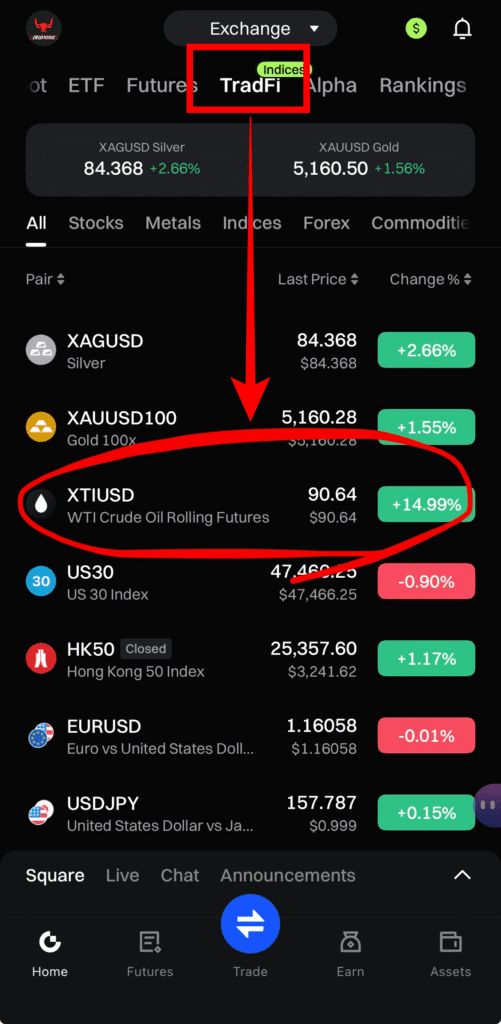
2. Click the chart or the Trade button at the bottom to go to the trading screen.
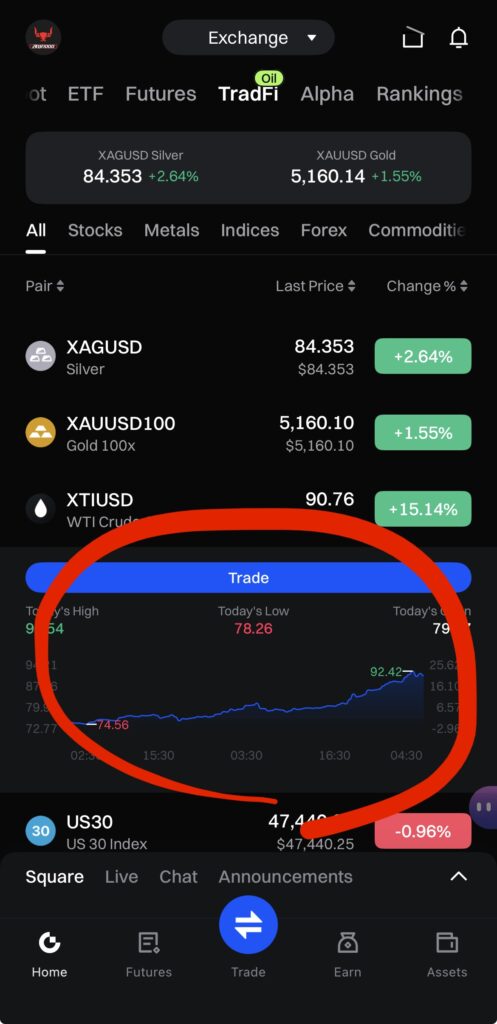
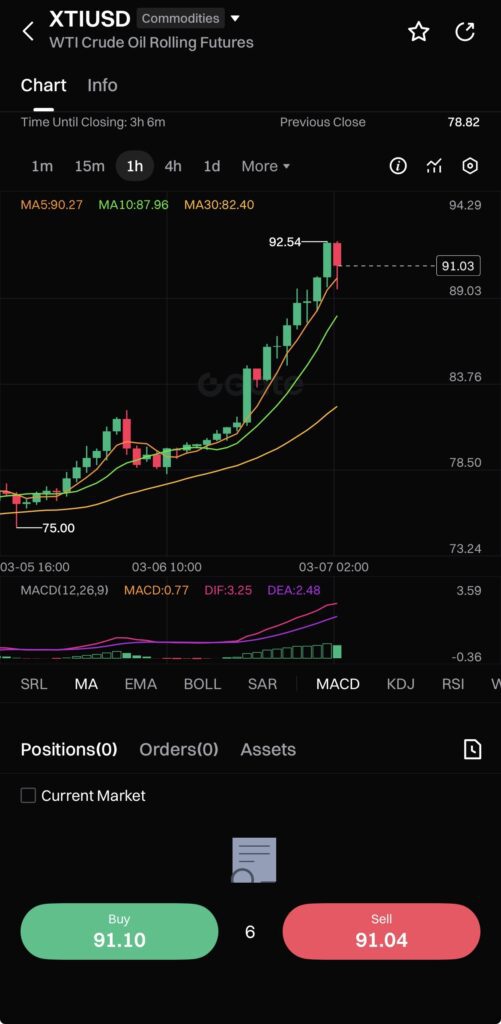
3. Click Buy or Sell on the chart. Note that short positions are available, so you can sell even if you don't currently hold a position.
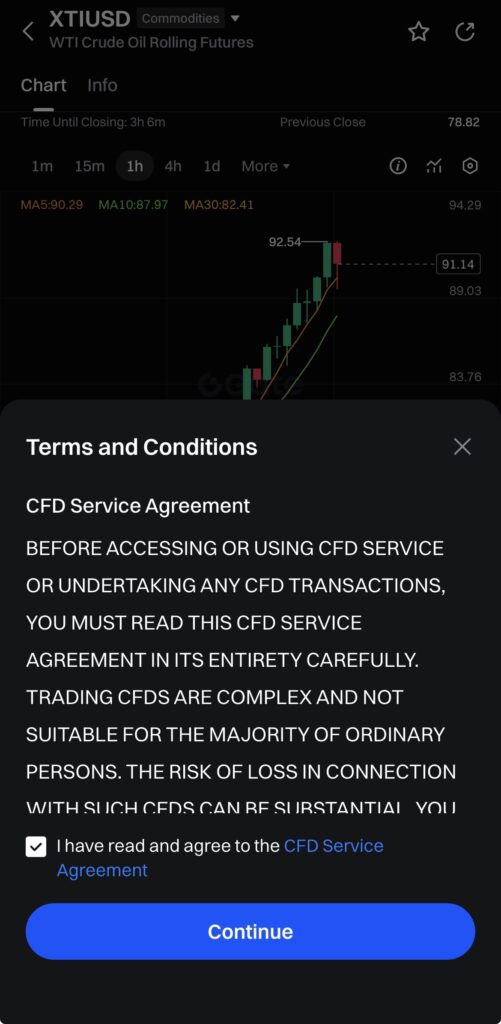
4. A warning window will appear. Agree to the terms regarding CFD trading. Click the checkbox and then click Continue.
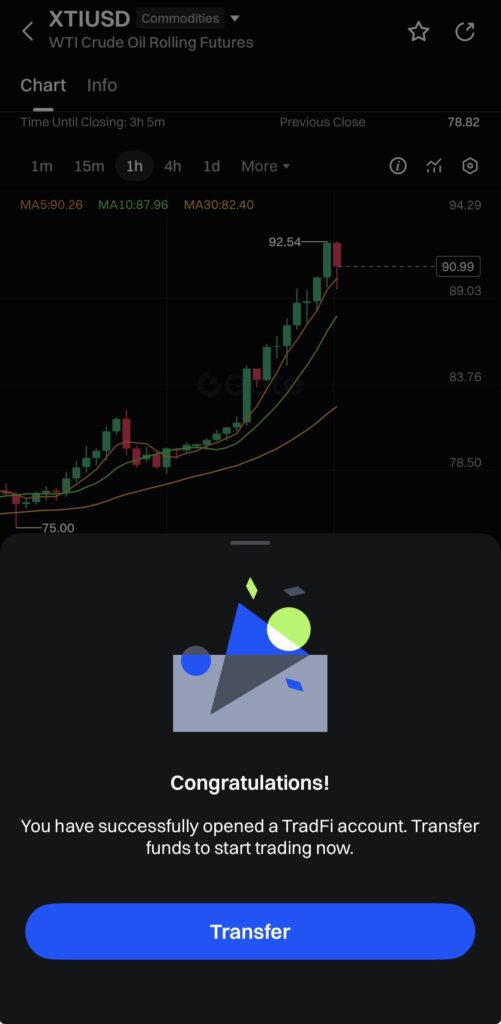
5. A "Congratulations!" message will appear. Click Transfer to move funds from your Spot account to your TradFi account.
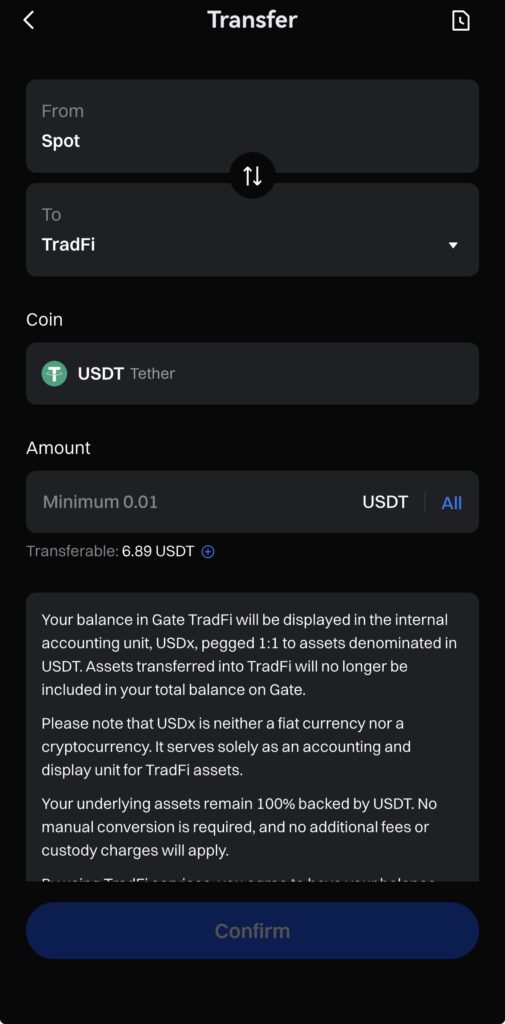
6. Enter the amount you wish to transfer or click the All button, then click Confirm.
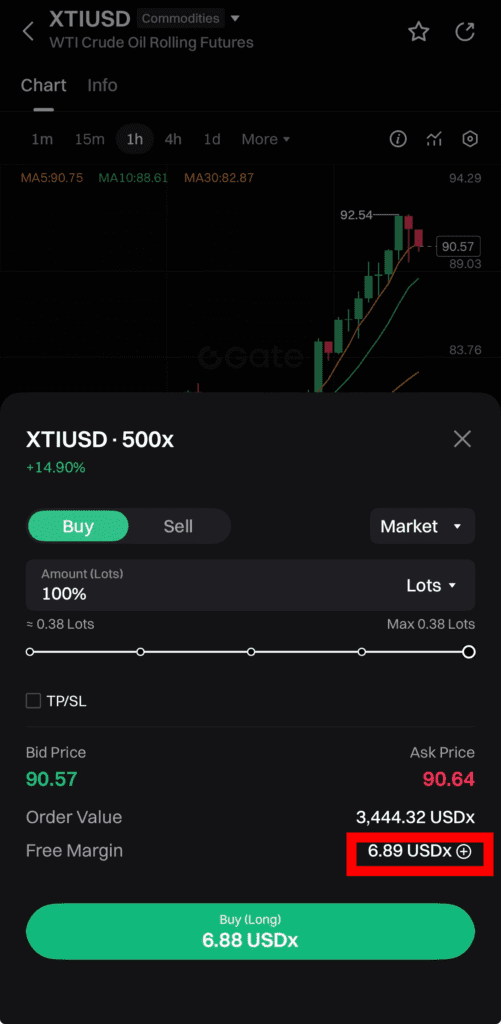
7. Once the funds are transferred, the amount available for trading will be displayed in Free Margin. Order Value shows the maximum amount you can order. If you set the ratio using the slider, the margin amount to be used will be displayed on the Buy (Long) button. Clicking it will execute a market order.
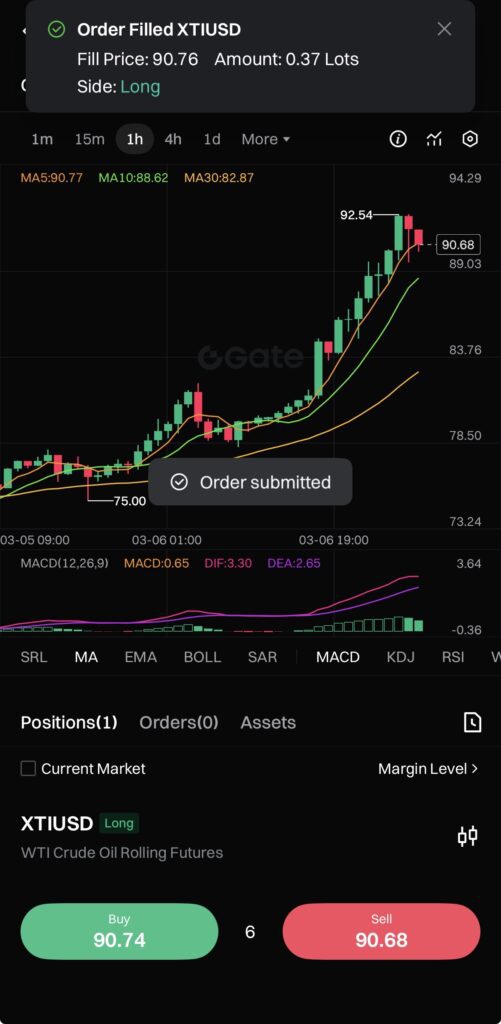
8. Once the order is placed, a notification saying "Order Filled XTIUSD" will appear.
I wish everyone successful investing during this period of rising oil prices.
How to Utilize Gate.io Exchange
For those who wish to trade other assets on the Gate.io exchange, please refer to the articles below.