
Many users are curious about how to profit from the crypto market without having extensive trading experience. Binance Copy Trading is the perfect solution. In this guide, we will explain what Copy Trading is and how to set it up step-by-step.
What is Binance Copy Trading?
The crypto market is home to many expert traders who generate consistent profits. Copy Trading is an automated system that allows you to "copy" the exact positions of these professional traders.
Who is it for? It is highly recommended for beginners or those who don't have time to study complex technical analysis. How it works: When the Lead Trader opens or closes a position, your account mirrors that action automatically.
How to Get Started with Binance Copy Trading
Before you start,
make sure you are trading with the lowest possible costs.
Even without VIP status, you can get Zero Maker fees and a 60.32% Taker discount. Check out our [Binance Fee Optimization Guide] for details.
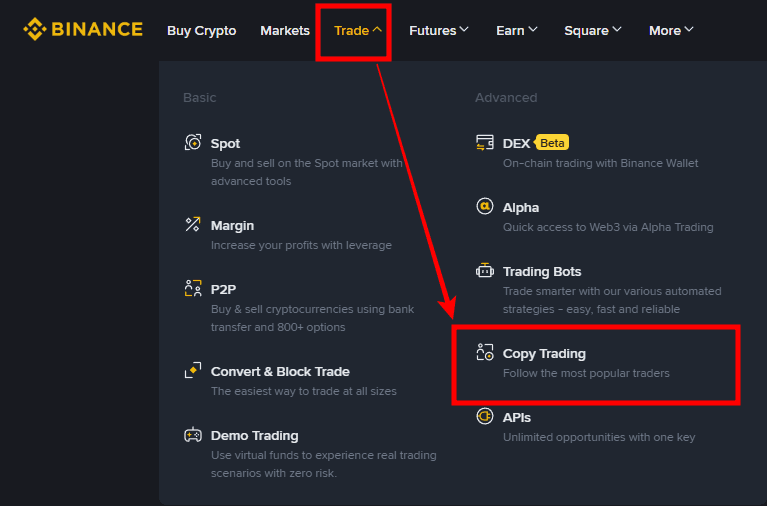
💰 Binance Taker Fee Free, 60% Market Fee Discount Method1. Access the Platform: Log in to Binance and navigate to [Trade] > [Copy Trading].
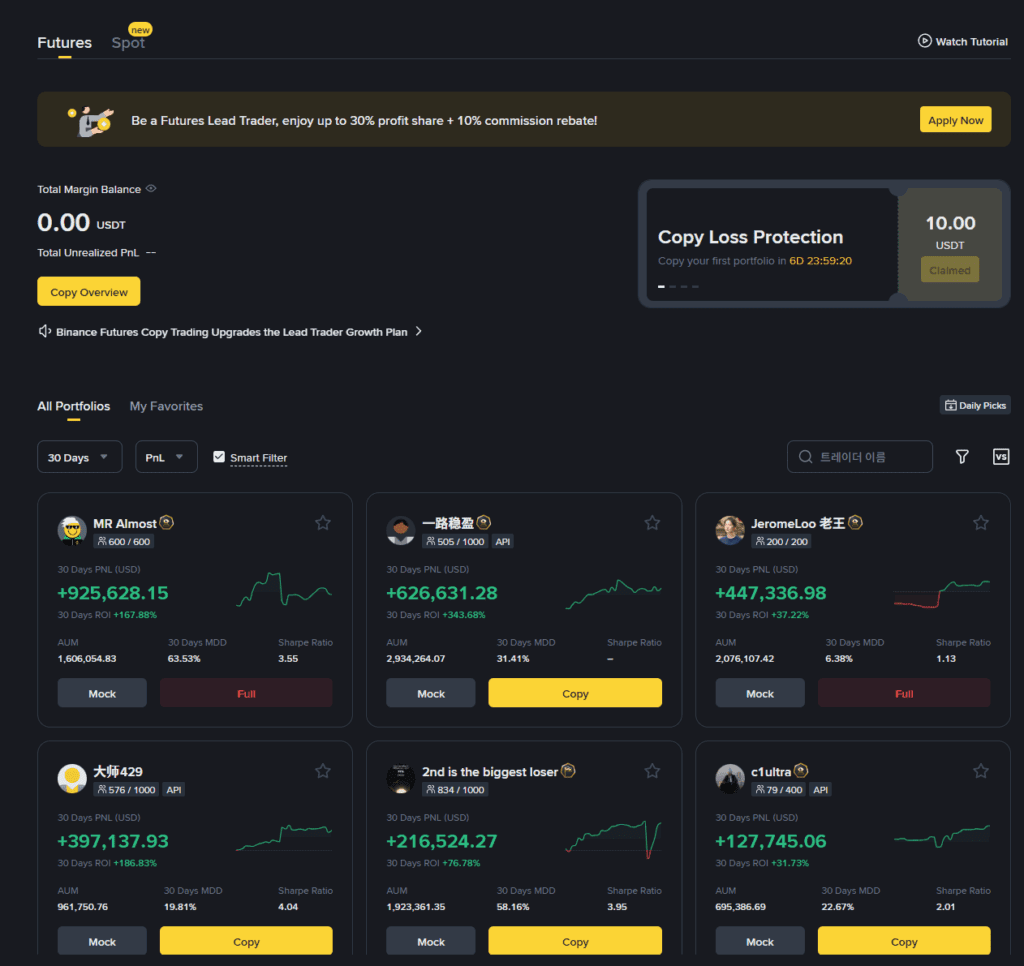
2. Browse Lead Traders: You will see a list of traders. Full: The trader's capacity is reached (you cannot copy them now). Copy: You can start following this trader immediately.
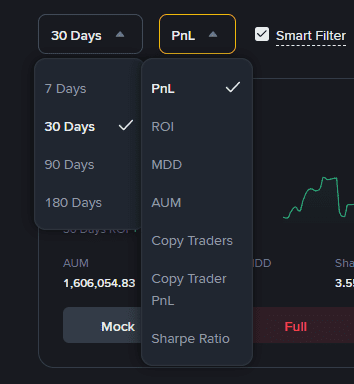
3. Analyze Performance: Use the filters on the left to view traders by ROI (Return on Investment), PnL (Profit and Loss), or Drawdown to gauge their skill level.
4. Click [Copy]: Once you find a trader that fits your risk profile, click the Copy button.
Configuring Your Copy Trading Settings
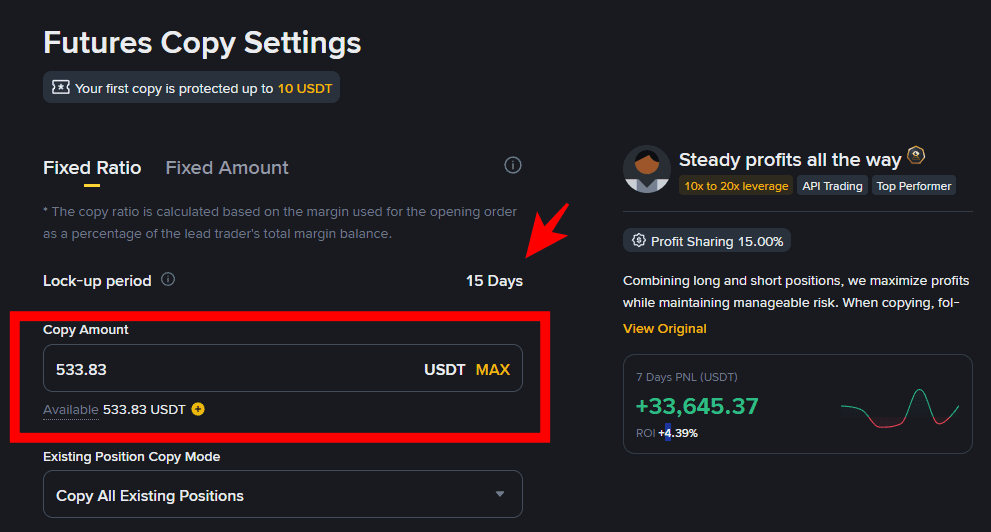
Once you click Copy, you will see a detailed dashboard. Pay attention to the following:
Lock-up Period: This is the minimum duration your funds are committed to the Lead Trader
(e.g., 15 days).
Profit Sharing: Most traders charge a fee (e.g., 15%) on the profits they generate for you.
If you lose money, there is no extra fee besides standard trading commissions.
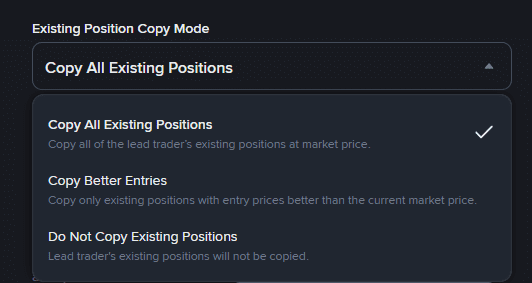
Existing Position Copy Mode
This determines how you handle trades the Lead Trader has already opened:
3 Options.
- Copy All Existing Positions
= Syncs your account with all current trades at market price. - Copy Better Entries
= Only copies trades if the current market price is better than the Lead Trader’s entry price. - Do Not Copy Existing Positions
= You only start copying from the next new trade.
-
-
Auto Invest
You Can See at Auto Invest.
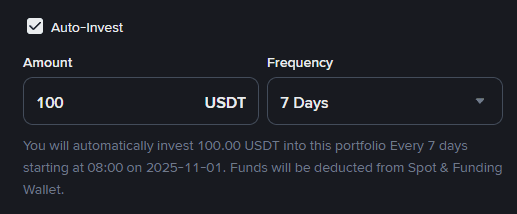
You can set a recurring amount to "add" to this trader automatically over time.
Total Stop Loss
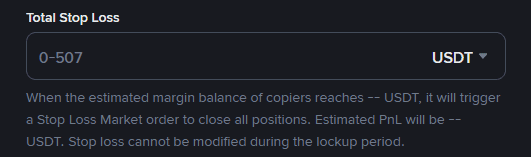
This is your safety net. If your total losses reach a specific amount, the system will automatically liquidate all positions
and stop the copy process to protect your remaining balance . You Know.
and, Stop loss cannot be modified during the lockup period .
Symbol Settings
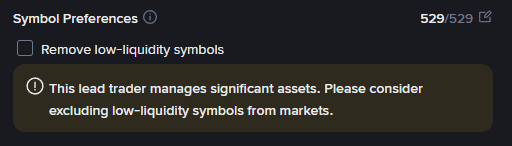
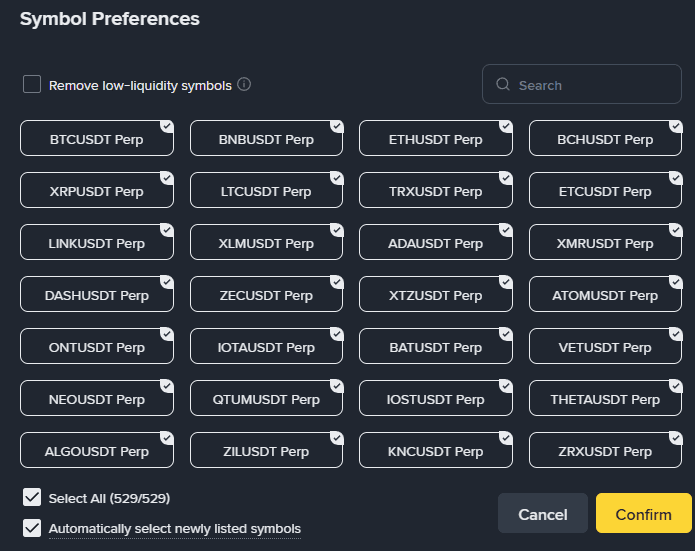
Remove low-liquidity symbols = It is highly recommended to check this to avoid unstable coins that might cause high slippage.
-
It is highly recommended to check this to avoid unstable coins that might cause high slippage.
-
Advanced Settings (Margin, Leverage, Slippage)
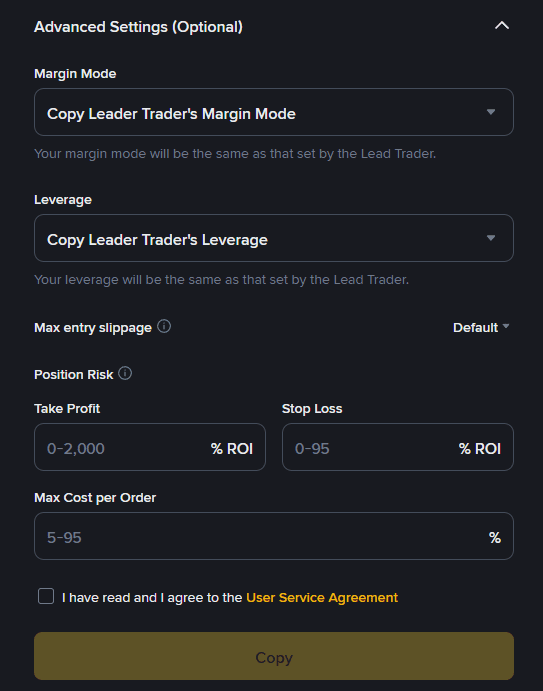
Margin Mode: Choose [Copy] to follow the trader's setting or [Fixed] to use your own (Isolated/Cross).
Leverage: You can mirror the trader or set a fixed leverage (e.g., 10x) to manage your risk.
Slippage: Set a limit (e.g., 0.1%) to ensure you don't enter a trade at a price too far from the Lead Trader's price during high volatility.
Review all your parameters, check the agreement box, and click [Copy].
Your account is now synced with a professional trader!
Good Luck!
Binance Usage Guide
We have gathered all the previously compiled exchange usage guides and Q&A into a roadmap for easy viewing. Please bookmark and use it.
[Check Crypto Exchange Usage Guide]