Many traders are curious about how to effectively use the Stop-Limit function on Binance. This guide explains the definition, practical applications, and the pros and cons of using Stop-Limit orders to help you manage your trades more efficiently.
Please check the article below to find out how to get free Limit orders and 60% off Market orders on Binance even without VIP benefits.
💰 Binance Taker Fee Free, 60% Market Fee Discount MethodWhat is a Binance Stop-Limit Order?
A Stop-Limit order is a conditional trade that combines a Stop Price and a Limit Price.
Definition: It is an order to submit a limit order once the market price reaches a specific "Stop" price. How it Works: When the market hits your designated Stop price, your Limit order is automatically placed on the order book.
The Benefit: This allows you to execute trades at specific price points without needing to monitor the market charts 24/7.
Stop-Limit vs. Stop-Loss
While the terms are often used interchangeably, they serve different strategic purposes:
Stop-Limit: Generally used to lock in profits (Take-Profit) by setting a limit order once a target price is reached. Stop-Loss: Used to minimize losses by triggering a sell order when the price drops to a certain point. Summary: Setting a Stop-Limit order to mitigate potential downside is essentially creating a "Stop-Loss".
How to Use Stop-Limit on Binance
The Stop-Limit function is available across most trading platforms, including Spot, Margin, and Futures.
How to Use It?
The setup process is identical for both Stop-Limit and Stop-Loss orders:
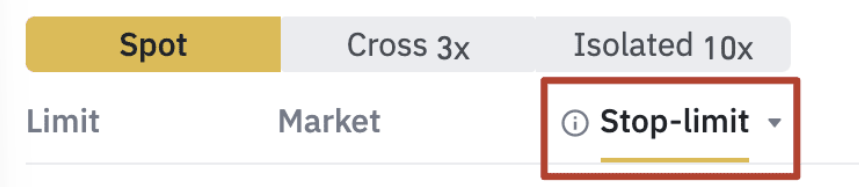
1. Select the Tab: In the trading interface, click the [Stop-Limit] tab located next to the [Limit] and [Market] options.
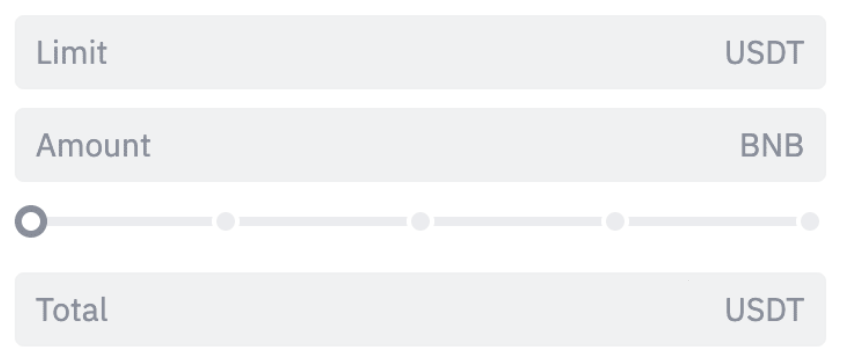
2. Set the Stop Price: Enter the price that will trigger your limit order.

3. Set the Limit Price: Enter the actual price at which you want your order to be executed once the Stop price is hit.
Pros and Cons of Stop-Limit Orders
Advantages Automation: Eliminates the need for constant market monitoring. Precision: Highly useful for swing traders and day traders who need exact entry or exit points.
Disadvantages Unintended Execution: Market noise may trigger an entry or exit earlier than expected. Execution Risk: In cases of extreme market volatility, the price may gap over your Limit price, leaving the order unfilled.
Trading Fees for Stop-Limit Orders
Since a Stop-Limit order results in a Limit (Maker) trade once triggered, it follows the standard maker fee structure.
Standard Fee: The base Binance maker fee is typically 0.02% for these transactions.
Further Reading: For a deeper dive into saving on costs, see our guide on [Binance Spot & Margin Trading Fees] and [Binance Futures Trading Fee].
Binance Usage Guide
We have gathered all the previously compiled exchange usage guides and Q&A into a roadmap for easy viewing. Please bookmark and use it.
[Check Crypto Exchange Usage Guide]