
In this article, we'll show you how to deposit OKX, and how to deposit OKX in 1 minute on Ubit, so don't worry if you're new to it, just watch and follow along and you'll be done in no time!
How to Deposit OKX with Upbit
First, you'll need to create an Upbit account and make an Upbit deposit, and if you're not already receiving payback from OKX, you'll need to follow the instructions below. How to Join OKX with 20% Payback on Trading Fees.
Create an OKX Tether deposit address
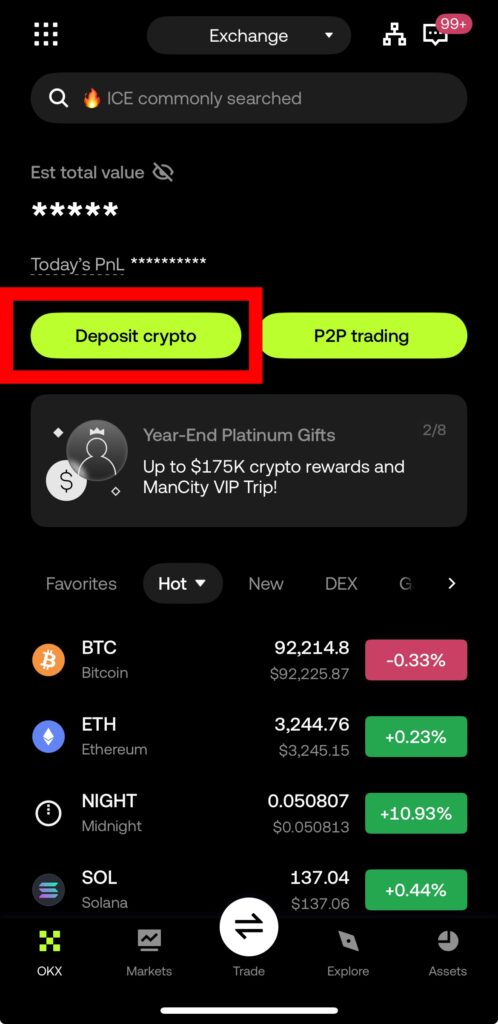
First, we need to know the deposit address to make a deposit to OKX. When you enter the OKX app, you'll see a button called Deposit crypto, which means ‘deposit crypto", so click it.
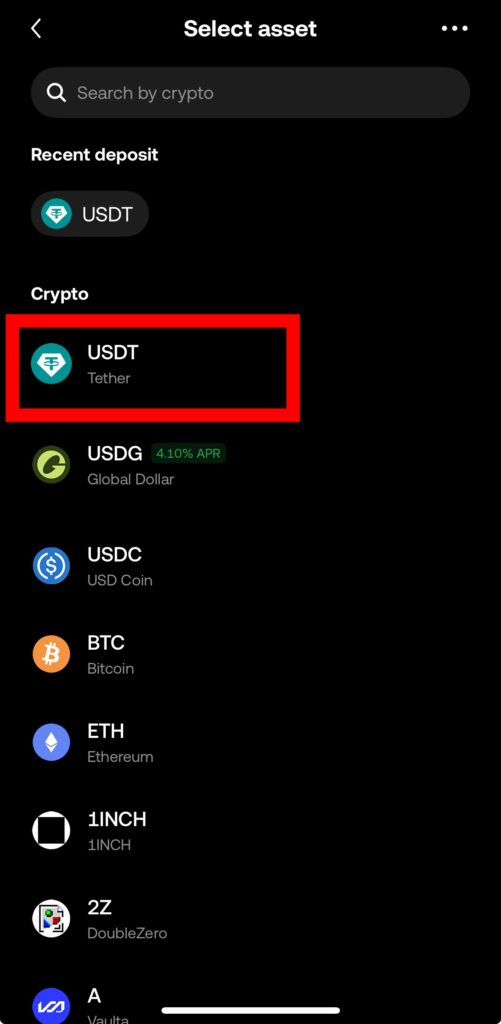
Once inside, you'll be prompted to choose which coin you'd like to deposit. We're going to deposit in USDT, which is a stablecoin that can be used for trading right away and has the same value as the dollar. Please select it.
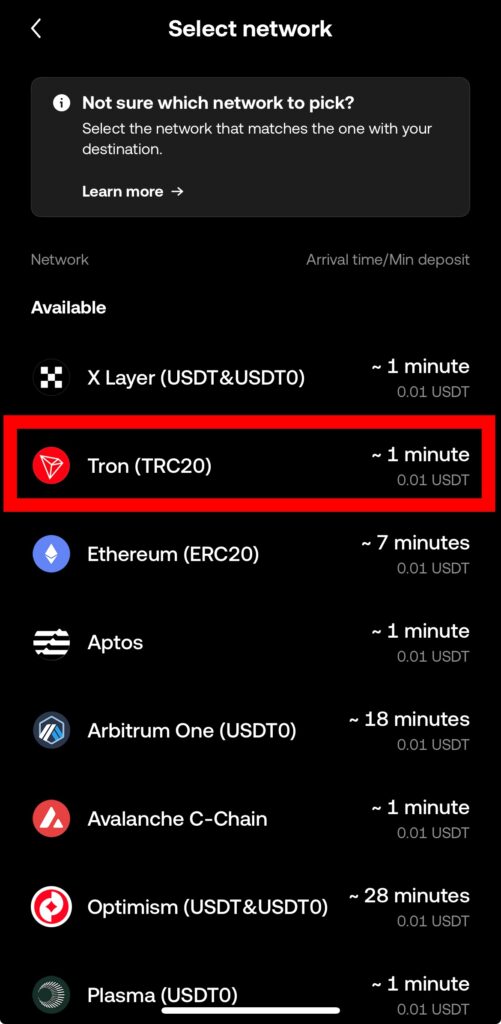
Now it's time to choose the network you want to trade on. Click on Tron (TRC20), the good thing about depositing to this network is that Upbit withdrawal fees are free.
After selecting your network, you will see the deposit address to receive OKX as shown below. Click the Copy button next to the address to copy the address.
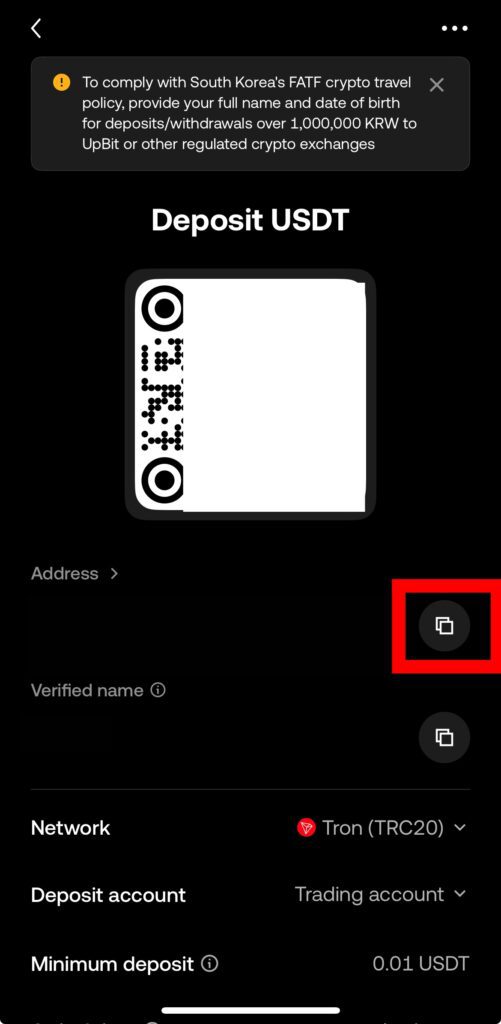
Now move on to the upbit with the copied address.
Withdrawing from Ubit to OKX
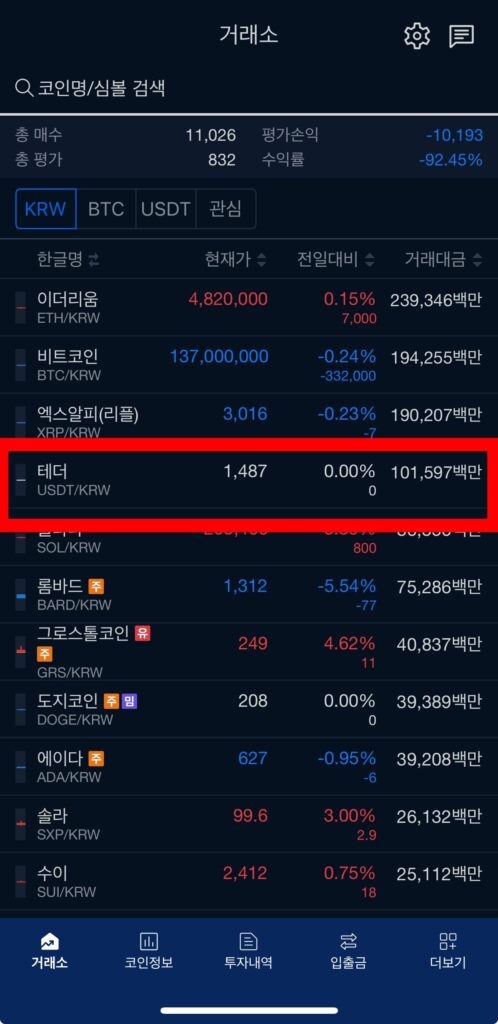
Click on Tether on Ubit. Tether is USDT.
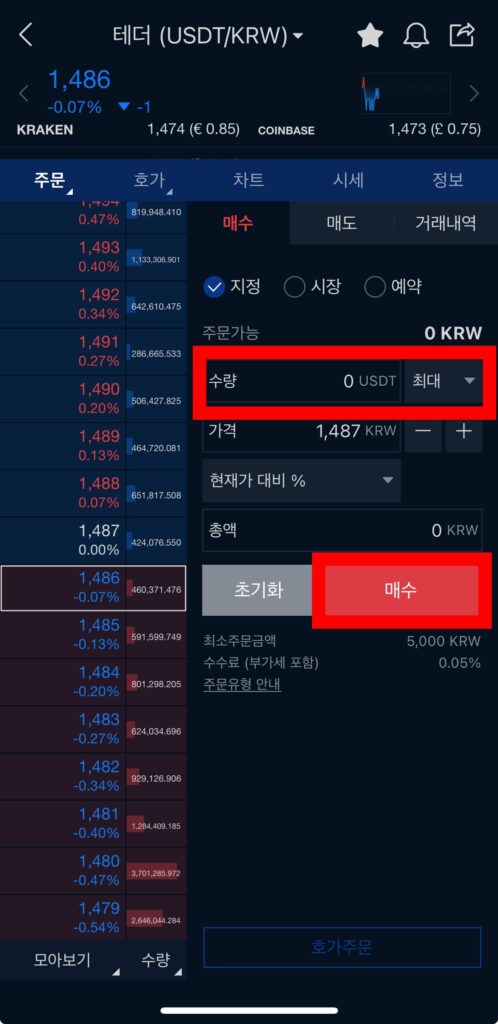
You can set the number of units you want to send and then click Buy. I usually max it out. However, it's important to note that the first time you create an Upbit account, you'll be subject to a 72-hour withdrawal limit after depositing more than $100.
There is also a 24-hour withdrawal limit for withdrawals after depositing KRW on Upbit, even if it's not your first deposit.
There's no workaround for this, you'll just have to be patient.
Go to Deposits and Withdrawals at the bottom of Upbit.
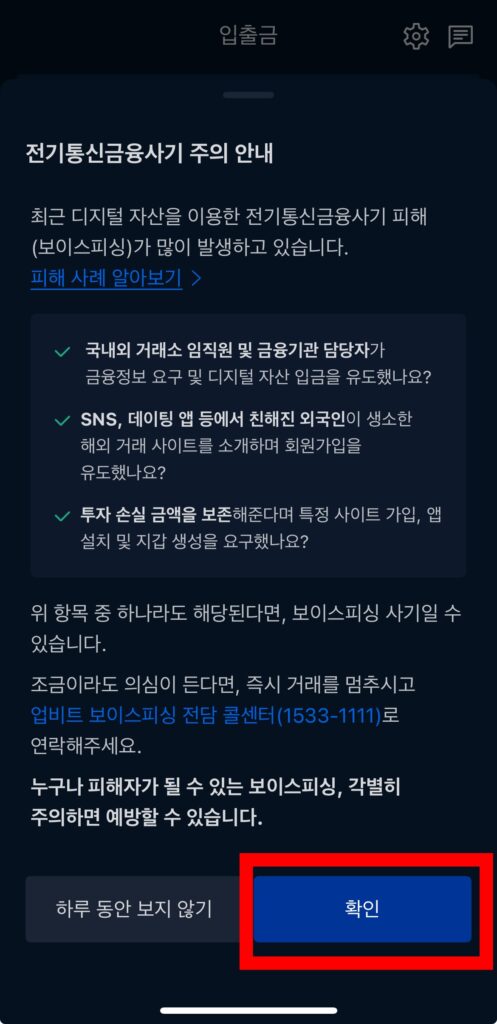
In the telecom scam alert, click either Do not view for a day or OK.
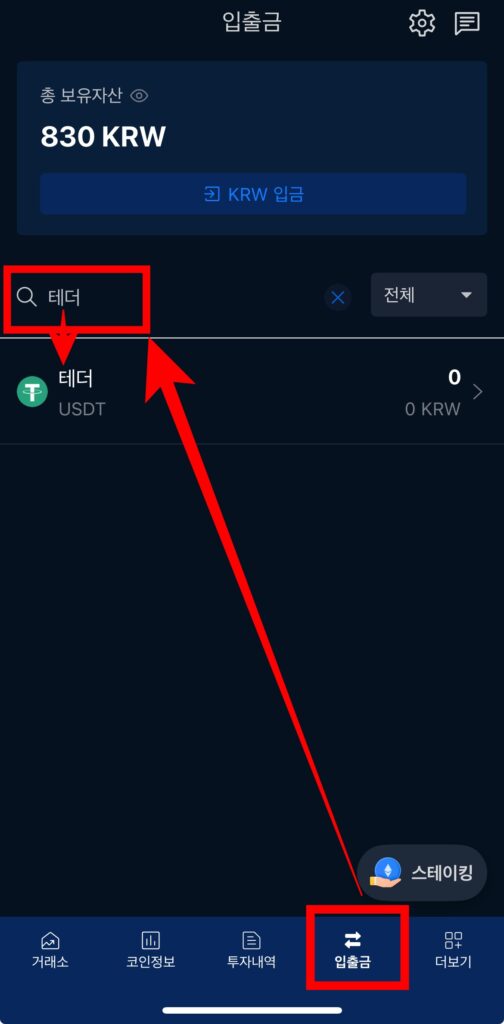
Search for Tether and click it.
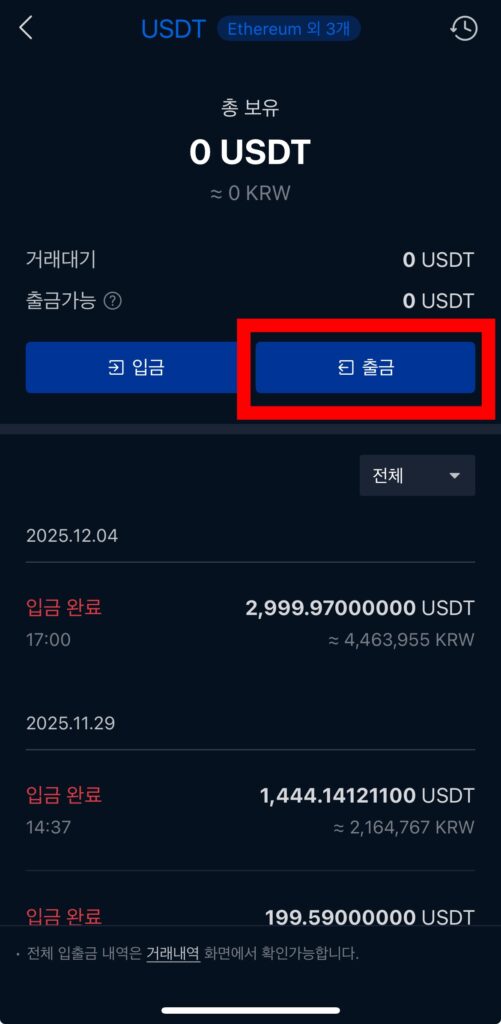
When you click withdraw, you'll see a screen that warns you about it, as shown below.

It says that it shouldn't be sent to the wrong address or network. Click OK.
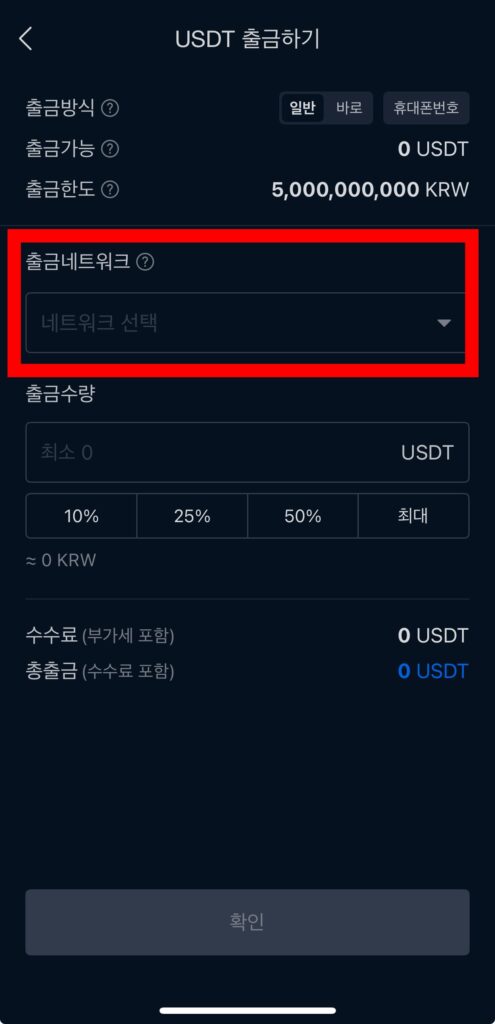
Now you're on the withdrawal screen, click on the withdrawal network.
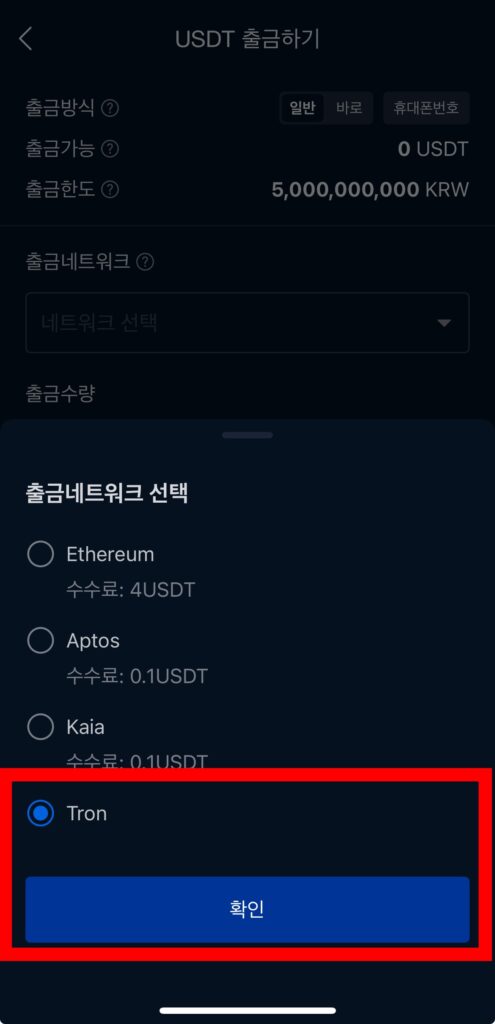
Set it to Tron, and then click OK.
Enter the maximum amount of USDT and click OK to select the exchange you want to receive. Select OKX and paste the address you copied earlier into the deposit address.
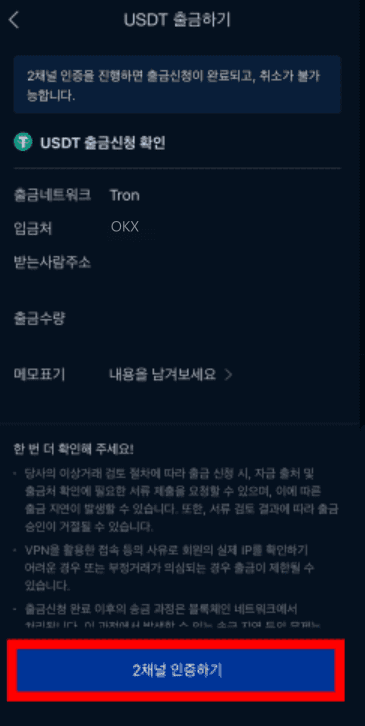
After that, you'll see 2-channel authentication. Click it and you'll see three ways to authenticate.

You can do whatever you're comfortable with, and I'll be on KakaoTalk.
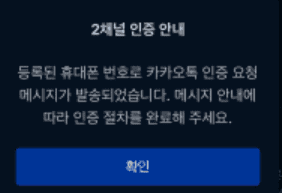
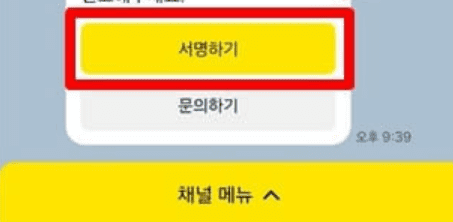
If you check and see the KakaoTalk address, click Sign in KakaoTalk Wallet and verify to complete the withdrawal.
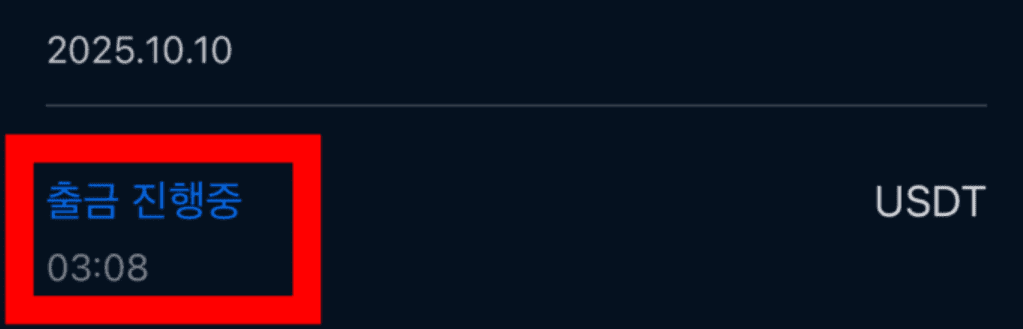
Upbit withdrawal in progress and OKX deposit confirmation
When a withdrawal is in progress on Upbit, you'll see the Withdrawal in Progress screen, as shown below.
Once the deposit has been made to OKX, you can see it in the Recent funding history window in Assets, along with the time when the deposit was made.
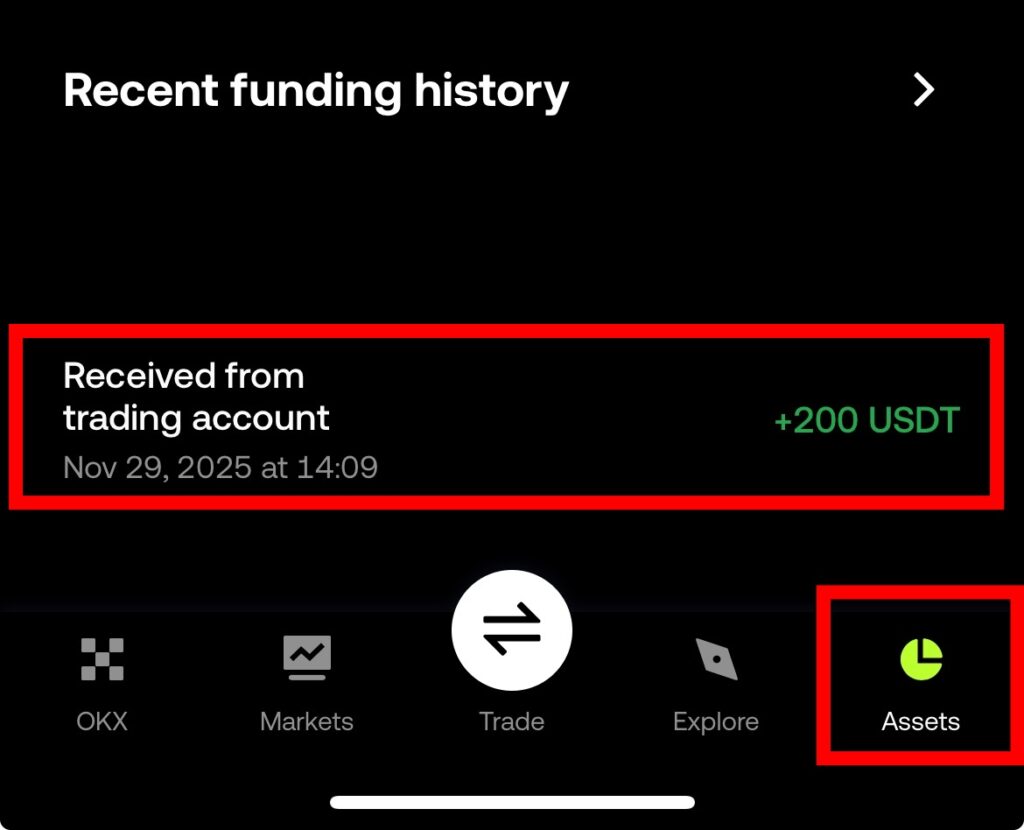
All deposits made to OKX will go into funding.
How to Trade OKX Futures
For a complete overview of how to trade OKX futures and the UI/UX, please refer to the article below.
How to use OKX
We have gathered all the previously compiled exchange usage guides and Q&A into a roadmap for easy viewing. Please bookmark and use it.
[Check Crypto Exchange Usage Guide]