
Making a mistake during a crypto deposit can be a stressful experience. However, depending on the type of error, there are specific ways to recover your assets. This guide covers the most common Binance deposit errors and their solutions.
Please check the article below to find out how to get free Limit orders and 60% off Market orders on Binance even without VIP benefits.
💰 Binance Taker Fee Free, 60% Market Fee Discount Method3 Most Common Binance Deposit Errors
Most deposit issues fall into one of these three categories:
1. Incorrect or Missing Memo/Tag: Entering the wrong TXID tag or memo during the transfer.
2. Wrong Binance Address: Sending funds to an incorrect address that still belongs to the Binance platform.
3. Sending to a Non-Binance Address: Accurately sending funds to an external address that Binance does not control.
-
Can I Get a Refund?
Whether you can recover your funds depends entirely on where they ended up:
Case 1 & 2 (Refund Possible): If you made a mistake with the Tag/Memo or sent it to a wrong address within the Binance system, recovery is generally possible.
Case 3 (Refund Impossible): If you sent funds to an address outside of Binance, a refund is not possible.
Because of blockchain anonymity and the fact that Binance never received the assets, the exchange cannot track or retrieve them.
How to Apply for Asset Recovery
If you forgot to include a tag or entered it incorrectly, follow these steps:
Scenario 1: Incorrect or Missing Tag/Memo
1. Access the Recovery Page: Go to the official [Binance Self-Service Recovery Page].
2. Provide Details: Enter the coin type, deposit amount, and the TXID.

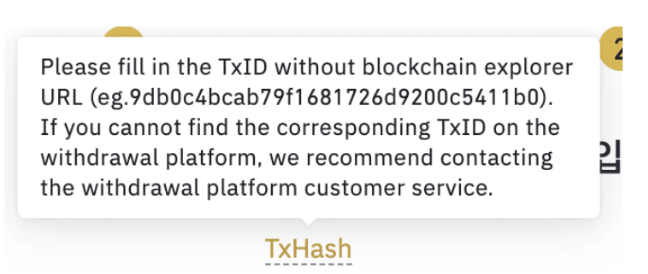
If you don't have it, see our guide on [How to Find Your TXID].
3. Submit: Click [Submit] to finalize your application.
Service Fee: Please note that Binance charges a recovery fee for the manual labor and time involved.
This fee is typically 5 times the standard withdrawal fee for that specific coin.
Scenario 2: Deposit to a Wrong Binance Address
While you cannot recover all assets sent to an incorrect address, Binance offers a specialized recovery service for certain limits.
1. Contact Support: You must reach out to [Binance Customer Service] directly.
2. Include Information: Provide your account details, the time of the error, the coin type/amount, and the TXID.
3. Wait Time: Be prepared for a long process.
It usually takes at least 1 month to retrieve the funds. This is because the process involves complex technical steps like wallet software updates and private key imports.
Binance Usage Guide
We have gathered all the previously compiled exchange usage guides and Q&A into a roadmap for easy viewing. Please bookmark and use it.
[Check Crypto Exchange Usage Guide]